Plan a passage
How do I plan my first passage?
Tap START and DESTINATION and choose a harbour for each. The arrow next to the start enters your position, the double arrow swaps start and destination. Then tap “Update METEO data”: the app fetches the weather and calculates the departure windows on your device.
How do I set up my boat?
Tap the line with the boat. Choose motor or sailing yacht and enter length, cruising speed, consumption and tank capacity, plus your limits for gusts and waves. The app only calculates with your figures; 0 stands for the default value.
Can I plan a later departure?
Yes. Without input the app calculates from now. Choose a later time for the departure, as far as the weather reaches – about a week.
What do “Daylight only” and “Time at sea per leg” mean?
“Daylight only” puts the passage into the hours of daylight; the boat spends the night in harbour. With a number of days (for example 2 days) the app splits the passage into legs from harbour to harbour.
Departure windows and route
What do the traffic-light colours mean?
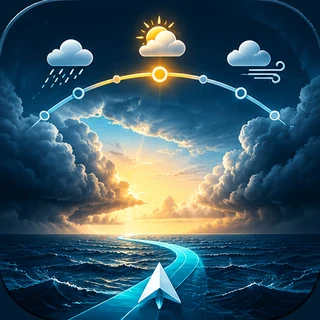
Green is well below your limits for gusts and waves, amber closer to them, orange at the limits or only with a detour. Red means: no departure possible. The best window is at the top.
How far ahead does the weather forecast reach?
The weather data reach four days from departure. Beyond that the line is dashed and marked as an estimate; the app does not invent weather there. Recalculate before casting off.
Why does the app plan legs from harbour to harbour?
If the weather does not allow the passage in one go, a leg ends in the harbour before the point where the weather blocks, and the yacht waits there. The waiting times are shown in the route.
How do I plan a fuel stop?
Tap a pump on the map and choose it as a fuel stop – or stop there and continue later. The app recalculates the route with the stop.
How do I get the route into my chart app?
Tap the export symbol at the edge of the map and choose “Route as GPX”. Open the file in your chart app, for example YachtNav, and check the line there for deep water and navigable lines. “Passage plan as PDF” gives you legs, times and fuel stops for printing.
Unlock, devices, privacy
What is free, what does the app cost?
Download, map, harbours and fuel stations are free, and two passages are calculated free of charge. After that a one-time purchase (€33.99) unlocks route calculation for good. No subscription, no account.
How do I restore my purchase on a new device?
Sign in with the same Apple ID, then go to “About YachtPassage” → “Unlock route calculation” and tap “Restore purchases”.
Which devices and languages does YachtPassage support?
iPhone and iPad as well as Macs with Apple silicon, in English and German. The app follows the language of the device.
A harbour is missing or a detail is wrong – what can I do?
Choose “Add details” in the harbour info. Saving in your app keeps the details on your device only; with “Send to NAVISMARE” the report reaches us by e-mail, and we add it in one of the next updates.
How does YachtPassage handle my data?
Boat profiles, routes and settings stay on your device. There is no account, no advertising and no tracking. For weather and tides only the coordinates of the area go to the weather services – details in the privacy policy.
Important: YachtPassage is a planning aid, not a navigation app. Recalculate before casting off and use official marine forecasts, charts and Notices to Mariners. The skipper remains responsible for boat and crew.